The first time you press Customize your page on your dashboard, Rapid Cart walks you through a few short steps instead of the full settings. Each step asks for one thing, shows your page on a phone beside it, and can be skipped.
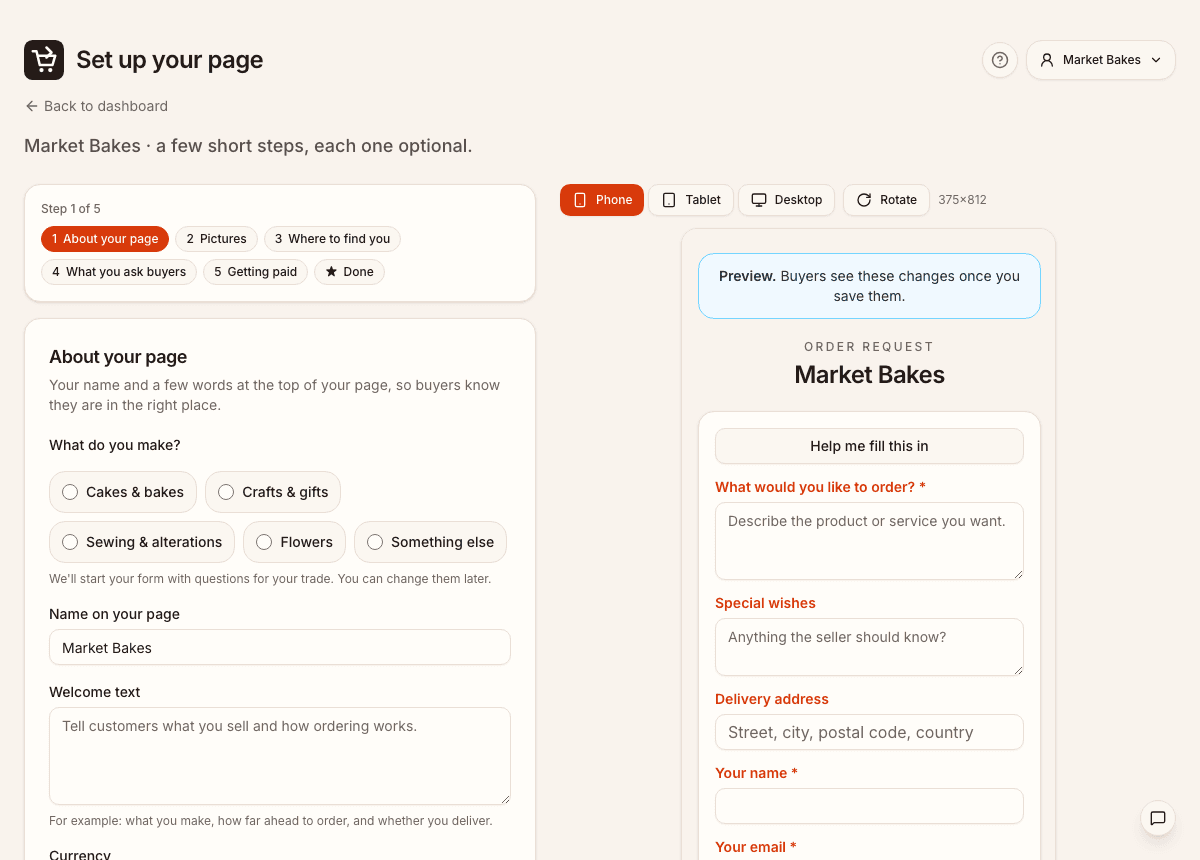
What do you make?
The first step starts by asking what you make: cakes and bakes, crafts and gifts, sewing and alterations, flowers, or something else. Picking one gives your page a sensible start: a welcome text, the questions customers in that trade usually need answering, and the right parts of the form switched on. Everything it adds can be changed or removed later.
The steps
- About your page: what you make, the name on your page, a welcome text and your currency.
- Pictures: your logo, and a few photos of your work for the top of your page.
- Where to find you: links to your social accounts and website.
- What you ask buyers: whether your form asks for a delivery address, a preferred date and time and a price offer, and whether you get an email about each new order. Your own questions come later, in the settings.
- Getting paid: how customers pay you once you've agreed an order.
Where to find you and Getting paid are only there when your plan includes them.
Done shows your live link and the ways to share it.
You can leave halfway and pick up where you left off, or press Skip setup, I'll do it later. After the setup, Customize your page opens the full settings, where you can shape the form in detail.