Your order link only works once customers see it. Your dashboard shows it at the top with one tile per place to put it.
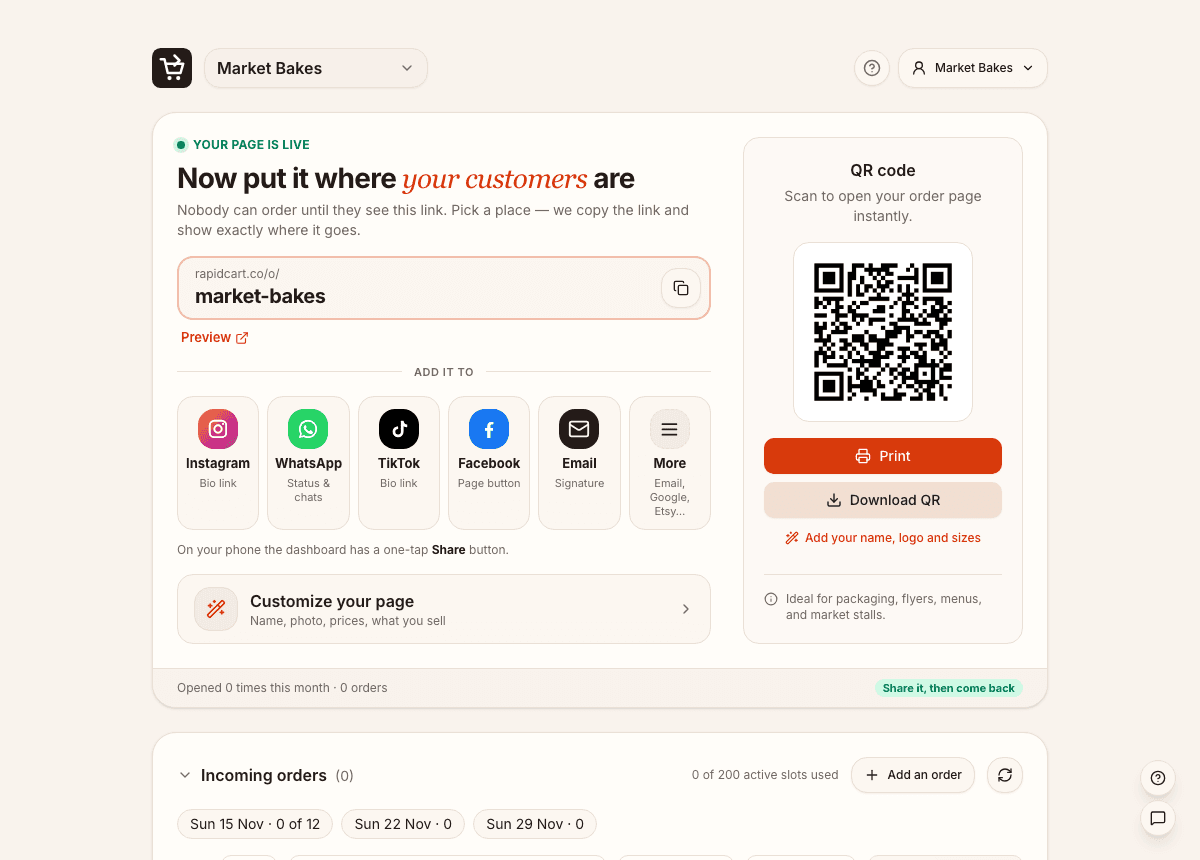
The tiles
Each tile copies your link, shows the steps for that place, and opens the app for you: Instagram, WhatsApp, TikTok, Facebook, text messages, your email signature, your Google Business Profile, your Etsy shop announcement, or your own website or Linktree.
A tile you've used is marked done. Each tile hands out its own short link, so once people open it, the tile shows how many came from there and the panel tells you which place brings the most.
After your first order, the panel folds into a slim bar to make room for your orders. Its arrow opens it again.
A QR code for the real world
Print your QR code makes a sign for your table at a market, stickers for your packaging, or a card to slip into an order. It points at your order page.
Tips
- Put the link in your Instagram and TikTok bio, not only in posts.
- Pin a message with the link in your WhatsApp Business profile.
- Answer "how much?" messages with your link: the form asks everything you'd ask anyway.