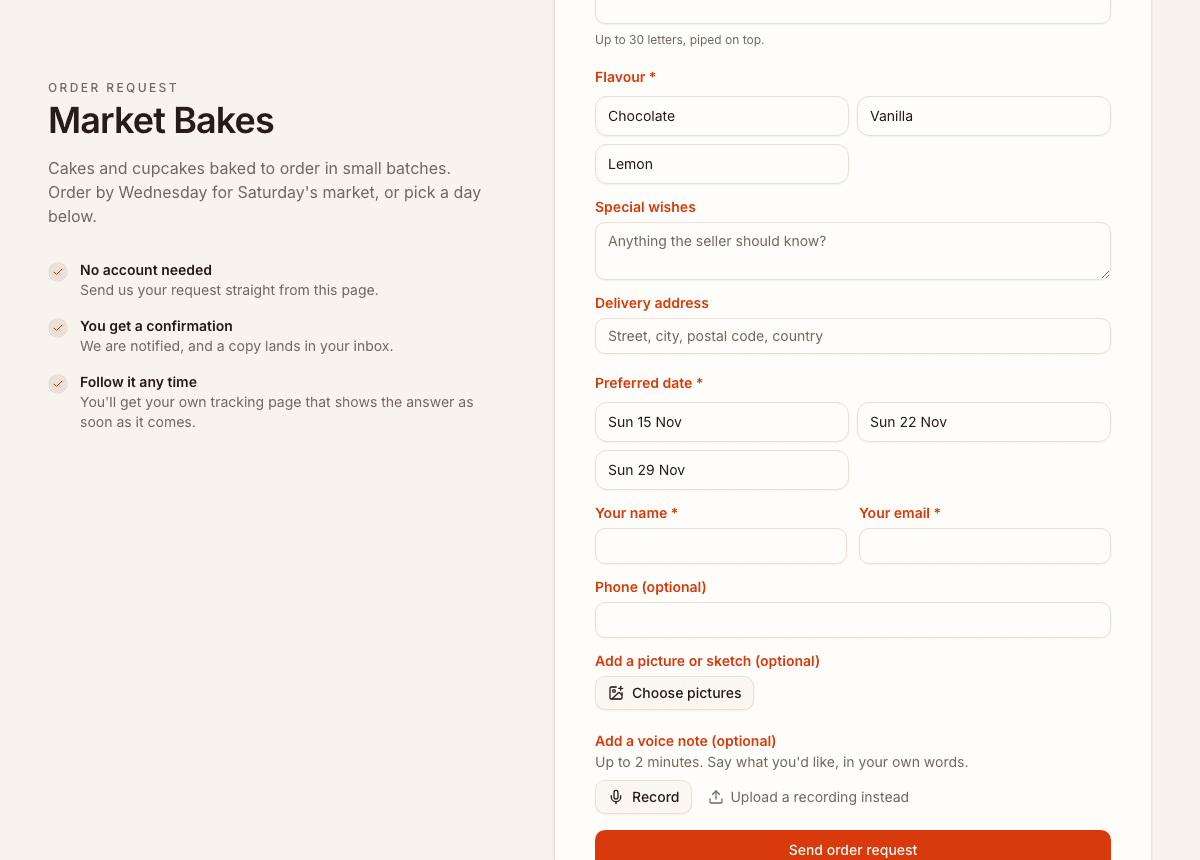
If you make things for set days, such as a Saturday market or Friday deliveries, list those days and customers can only pick them.
Listing your days
Under Your fields in your settings, the Preferred date question has a calendar button, Set the days you take orders for. Each day you add has:
- Day: the date itself.
- Order by: the last moment to order for that day. After it, customers can't pick the day.
- Limit: how many orders you take for it. Once it's full, customers can't pick it.
- Label: a few words shown with the day, such as "Market day".
As soon as one day is listed, customers choose from your list instead of any date. Leave the list empty to let them pick any date. Days in the past drop off by themselves.
You also choose what happens when no listed day is left: Still take orders, without a date, or Close the order form.
Times
The Preferred time question takes times in 15-minute steps. Its pencil sets the Earliest time and Latest time, and a time outside them can't be sent.
When you ask for both a date and a time, customers set them in one field. If you've listed your days, they pick the day from your list and set the time beside it.
Days and times change your live page as soon as you save them in their box.
On your dashboard
Your listed days show as chips above your orders, with how many orders each has. Picking one shows only that day's orders, and Print this day makes a sheet for it. See Orders by day and the day's sheet.
The date you agree with a customer, if it differs from the one they picked, is the one that counts everywhere.