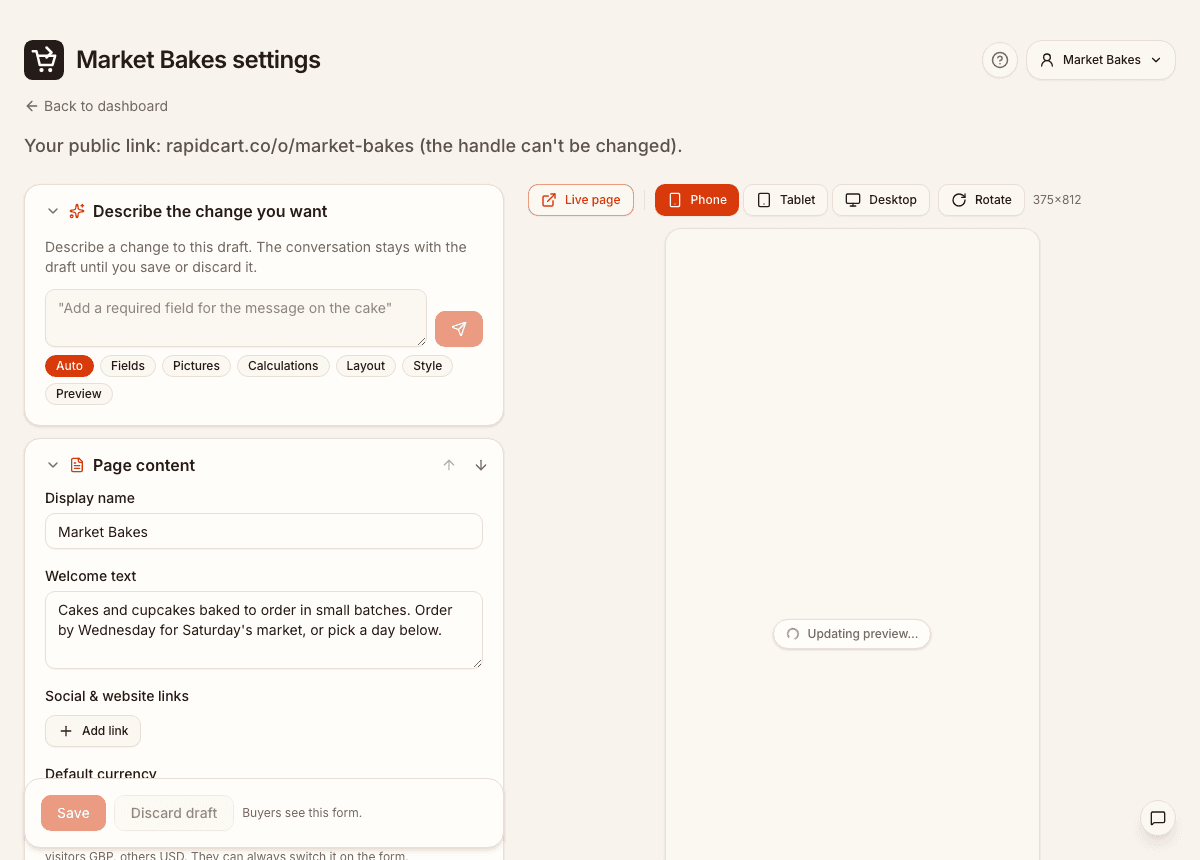
Customize your page on the dashboard opens your settings: sections for each part of your order page on the left, and a live preview of the page beside them.
The sections
- Name & welcome: your display name, welcome text, social and website links, and default currency. See Your name, welcome text and links.
- Pictures: your logo, a background image, and the photos at the top of your page with their captions, prices and sold-out marks. See Pictures, prices and sold out.
- Your fields: every question on your form, the standard ones and your own. See Changing the standard questions and Adding your own questions.
- Calculated values: prices and totals worked out from the answers. See Calculated values.
- Layout: sections and rows on the form. See Arranging the form.
- Order form & notifications: whether you get an email about new orders, where customers' replies go, how soon you usually reply, and the unit for body measurements.
- Getting paid: how customers pay you. See Getting paid.
- Business details on documents: your trading name and address on invoices and receipts.
- Style: colours, fonts and the shape of buttons. See Colours, fonts and style.
- Documents: which of your questions show on invoices and receipts, and a note under the lines.
- Emails from Rapid Cart, Embed on your own site and Custom CSS, which most sellers never need.
Above the sections, Design Assistant lets you ask for a change in your own words. See Changing your page by describing it.
Each section folds, and the arrows on its title move it up or down. The page remembers how you left it.
What saves when
Not everything saves the same way, so it helps to know which is which:
- Name & welcome and Order form & notifications share one Save settings button. It saves both and they go live straight away.
- Your logo, background image and photos save as soon as you upload them. So do captions, prices and sold-out marks.
- Showing or hiding a standard question, your order days and the times you offer change your live page at once.
- Everything else is a draft: your own questions, reworded standard questions, calculated values, the layout, which photos show and in what order, the style and the documents settings. The preview shows the draft, and customers keep seeing your last saved form until you press Save, at the top right above the preview. Discard draft throws the draft away.
History, the last section, lists the versions you saved, with a green tick on the live one. Make live puts an earlier one back on your order page straight away, as it was; any changes you haven't saved are discarded first. Delete takes a version you no longer need out of the list. The live version can't be deleted.
Some sections depend on your plan. Getting paid, Embed on your own site and Custom CSS only show on plans that include them. Style shows what your page uses and names the plans that can change it.